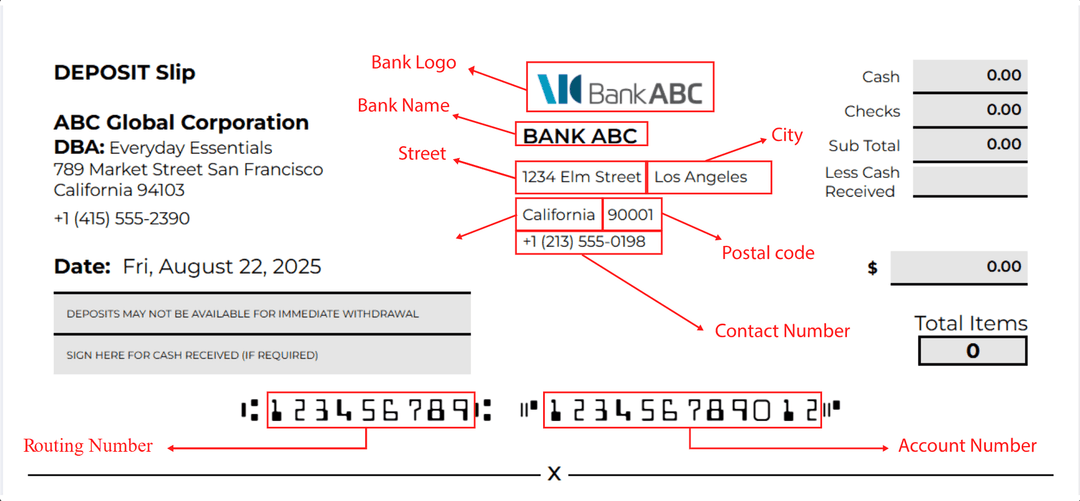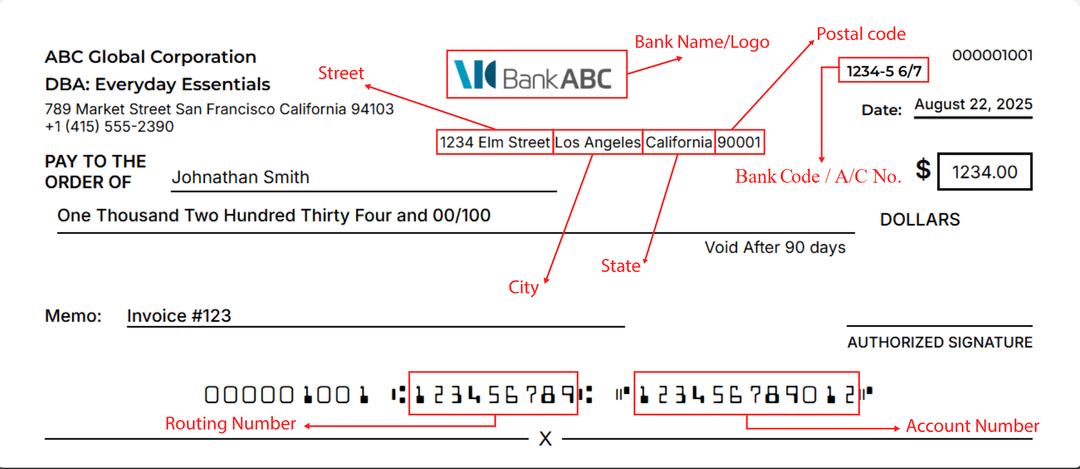
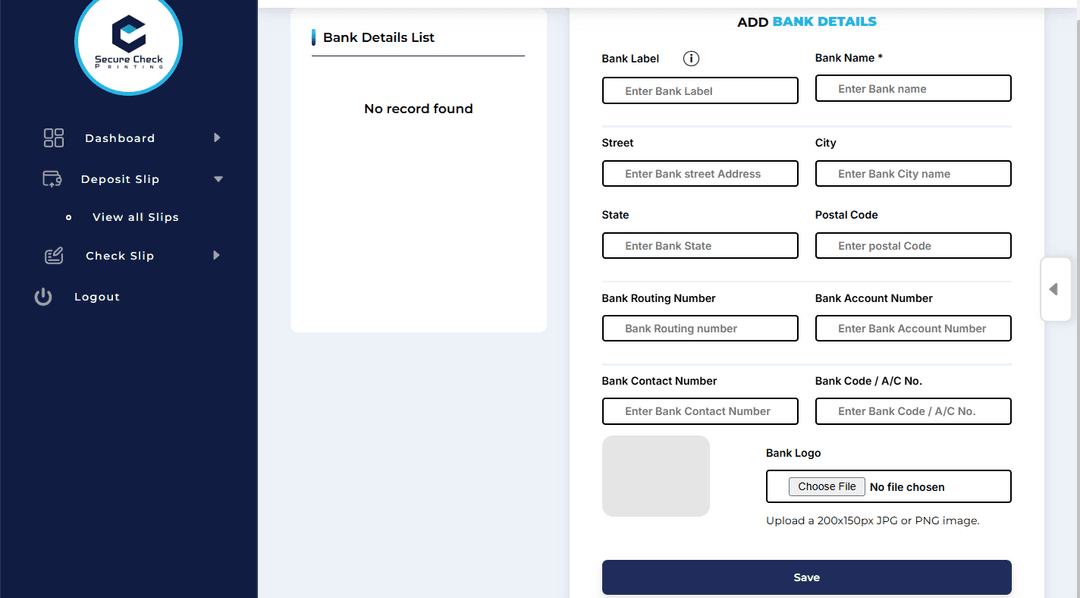
After setting up your corporation, the next important step is adding your bank accounts. These accounts will be linked to your checks and deposit slips — so the details you enter here are what appear on every printout.
Only the Admin can add or manage bank accounts. You can create up to 4 bank accounts, each representing a different financial institution or business account.
Once you’ve added banks, a bank switch tag appears at the top of every page.
This lets you quickly switch to another bank account when creating or viewing checks and deposit slips — no need to re-enter details each time.
If you stop using a bank, the Admin can deactivate it.
Deactivated banks remain visible for record-keeping and old check references — but they cannot be reactivated later.
You’ll still be able to view old checks and deposits made from those accounts anytime.
Each bank account you create becomes part of your printing system — its details automatically appear on checks and deposit slips like shown below 👇