
Your Profile area isn’t just for viewing your details — it’s also where you can keep your data safe with a few simple clicks.
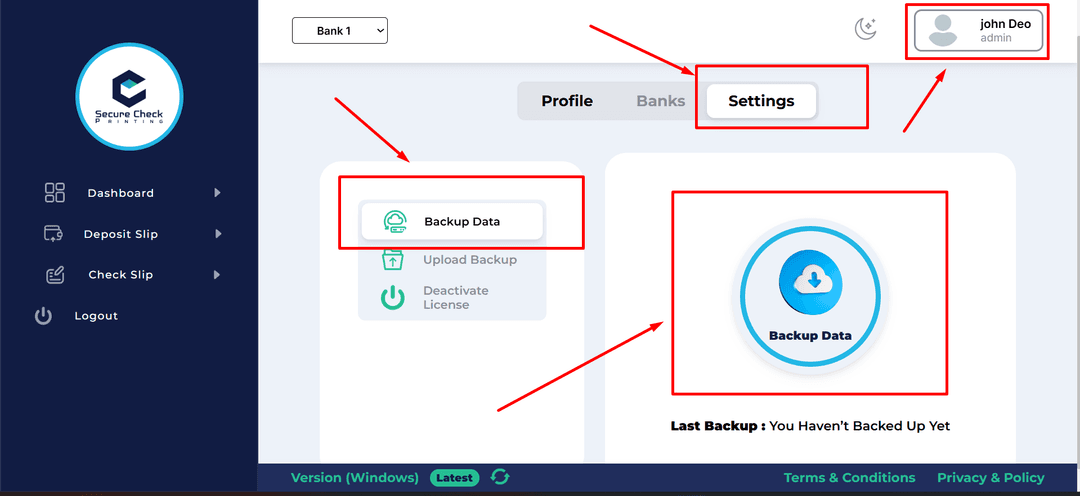
Every user can open their Profile by clicking the Profile icon on the top-right corner of any page.
Here, you can:
But the most important feature for the Admin lives right here too…
Only the Admin has permission to take backups.
Here’s how:
✅ Backup complete — simple and secure!
Taking regular backups is essential. You never know when something unexpected might happen — accidental deletions, migrating to a new system, or even upgrading your operating system.
Our tip: Create backups regularly to keep your data safe and portable. It only takes a moment, but it can save hours of work later!